How to Fix Common Skript Errors
Skript errors look intimidating until you know how to read them. Almost every one names the file, the line and what Skript could not understand. This guide shows how to read that output, then works through the parse, indentation, loading and runtime problems people run into most, with the fix and a way to confirm it worked.
 SkriptPlugin Editorial TeamIndependent Skript guides
Updated Published 3 min read
SkriptPlugin Editorial TeamIndependent Skript guides
Updated Published 3 min read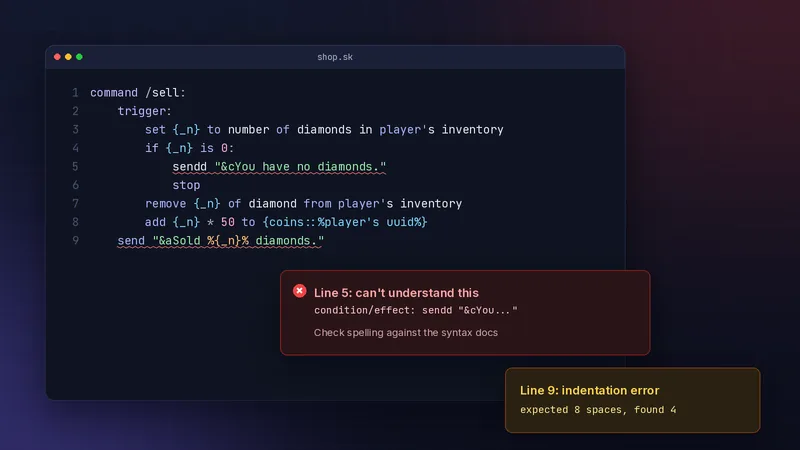
How to read a Skript error
The file and line number
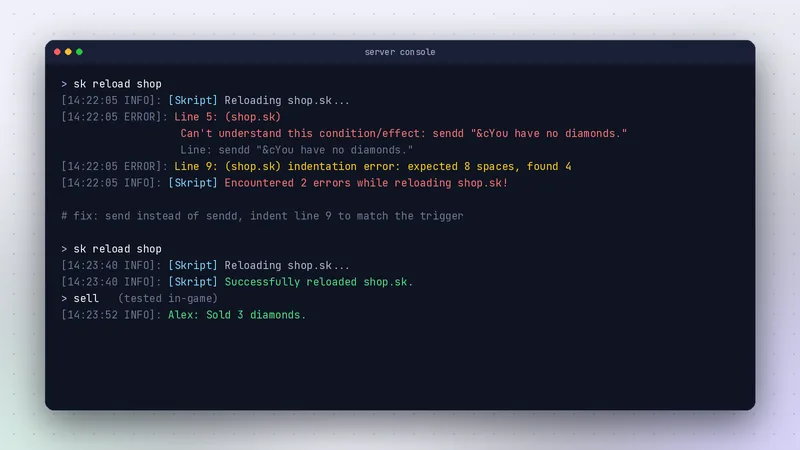
Errors appear when the server starts and when you run /sk reload. Each names the line and the script, then quotes the text Skript could not parse. Open the file, go to that line, and compare it with the documentation for your exact Skript version.
> sk reload shop
[Skript] Reloading shop.sk...
Line 5: (shop.sk)
Can't understand this condition/effect: sendd "&cYou have no diamonds."
[Skript] Encountered 1 error while reloading shop.sk!
Fix the first error first
One mistake can cause several errors below it, especially with indentation. Fix the top error, reload, and see what is left before touching anything else.
Syntax errors
Can't understand this condition/effect
Skript could not match the line to any known condition or effect. Causes, in order of likelihood: a typo (sendd), syntax from a different Skript version, syntax that belongs to an addon you have not installed, or a missing if before a condition. Search the docs for the key verb and copy the pattern exactly.
Can't understand this expression or event
The same idea, applied to values and event headers. A common case is an event that came from an old addon, such as on any movement, which core Skript does not have. Core Skript uses on player move instead.
Indentation and structure errors
Tabs vs spaces
Skript uses indentation to decide what belongs to what. Mixing tabs and spaces, or indenting by 3 instead of 4, produces errors such as "expected 8 spaces, found 4". Set your editor to insert 4 spaces and to show whitespace.
Else without if
else must come straight after an if or else if at the same indentation. A blank line is fine; a different statement in between is not. Line up your if and else and the error disappears.
Loading problems
Skript not loading at all
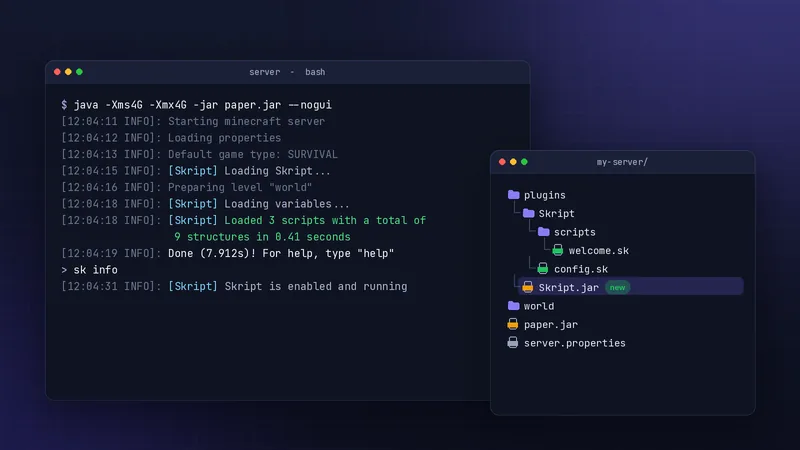
If Skript is missing or red in /plugins, read the startup log from the top. The usual causes are a Spigot server instead of Paper, an old Java version, a Minecraft version outside the release's supported range, or two Skript jars in the plugins folder.
Script is ignored
Files starting with a hyphen are disabled on purpose. Files in the wrong folder, or saved as .sk.txt by an editor that hides extensions, are never loaded. Check the name and location, then run /sk reload scripts.
Runtime problems
Variables return nothing
A variable read before it is set shows as <none>. Check the exact name, including :: separators, and that the same key is used when setting and reading. Mixing %player% and %player's uuid% in the key is a classic cause.
command /coins:
    trigger:
        set {_c} to {coins::%player's uuid%} ? 0
        send "&6Balance: %{_c}%"
The ? 0 gives a default when the variable is empty.
Triggers fire twice or not at all
Two scripts may handle the same event, or a condition may quietly stop the trigger. Add a temporary broadcast "debug: reached here" at different points, reload, and watch chat to see how far the code gets.
When it is not your script
Addon conflicts
If errors start right after installing or updating an addon, two addons may register similar syntax, or the addon may not support your Skript version. Remove the newest addon, restart, and test again. See the addons guide for choosing well.
Reporting a real bug
If valid syntax from the docs fails on a clean server with only Skript installed, it may be a bug. Search the official issue tracker, and if it is new, report your Skript, Paper and Java versions with a minimal script that reproduces it. More fixes are collected in our troubleshooting hub.
Frequently asked questions
Why does Skript say it cannot understand this condition or effect?
The line does not match any syntax Skript knows. Check spelling, confirm the syntax exists in your Skript version, and make sure any required addon is installed.
How do I fix a Skript indentation error?
Use 4 spaces per level everywhere, never tabs, and make sure each line sits one level deeper than the line that owns it. Turn on visible whitespace in your editor.
Why is my script not loading?
Check the file name does not start with a hyphen, the extension is .sk, and it is inside plugins/Skript/scripts/. Then run /sk reload scripts and read the output.
Written and checked by the SkriptPlugin Editorial Team against Skript 2.16.2 on Paper. Syntax can change between releases, so confirm details in the official documentation for your version. Read our editorial policy.